Best VN Translator (2026)
Looking for the best VN translator? Compare OCR, texthookers, and real-time tools. Find the best way to translate visual novels without patches.
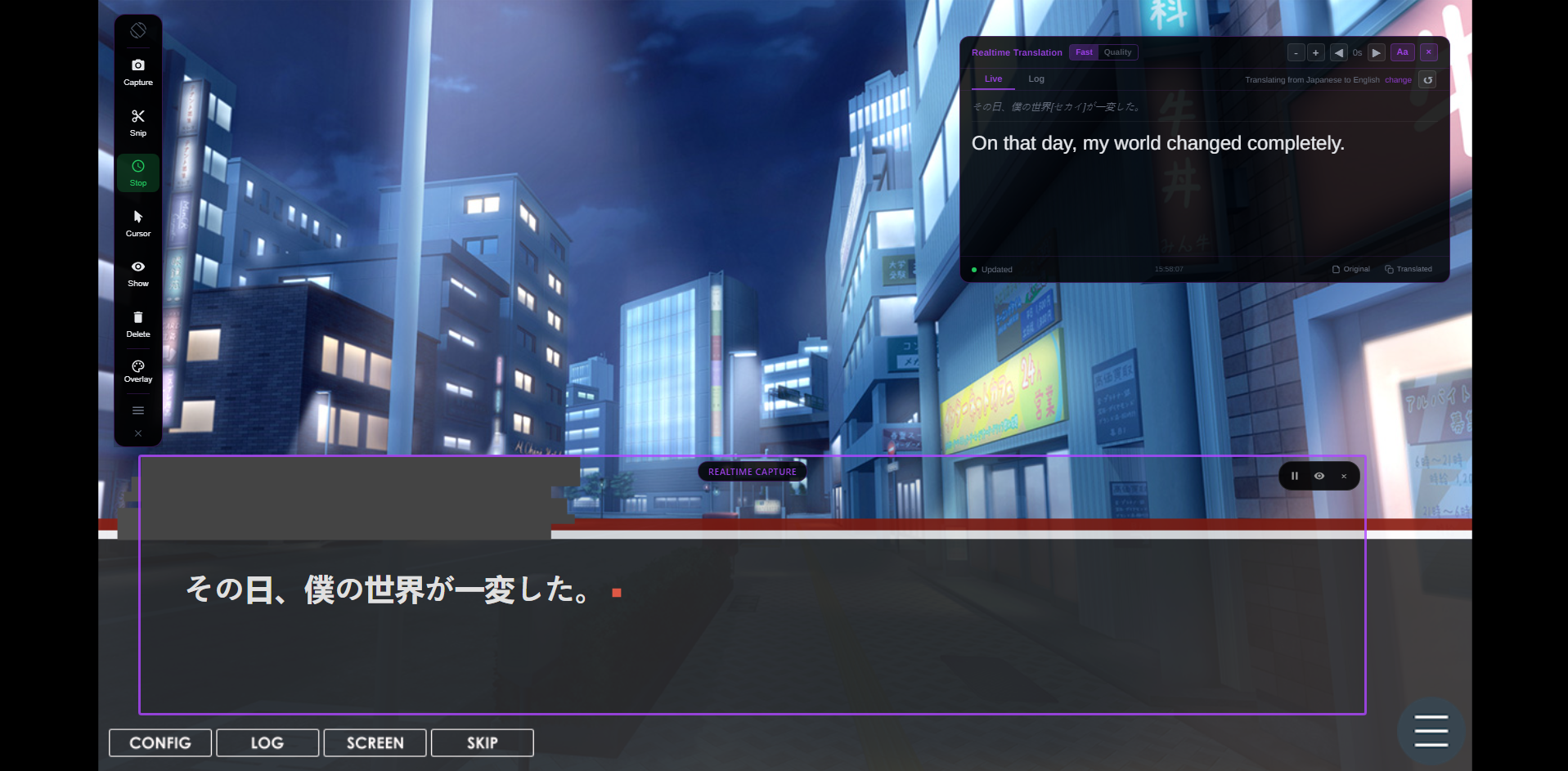
Most VN translator advice sounds good until you actually try to play. The patch is for a different release, the texthooker needs engine-specific setup, and manual copy-paste turns every scene into a chore.
For a long story route, that is not a small inconvenience. It breaks the one thing visual novels depend on: reading flow. The best visual novel translator is the one that lets you translate VN dialogue while you play, without rebuilding your setup for every game.
Why Most VN Translators Fail in Practice
The common failure point is dependency. Many VN translation tools depend on the game engine, the executable version, a hook profile, or a fan patch that matches a specific build. That works for a narrow set of titles, then falls apart as soon as you open something less common.
Updates make this worse. A patch that worked last year can break after a storefront update. A hook that captured text in one Ren'Py or KiriKiri title may miss text in another. If your goal is japanese visual novel translation across a backlog, engine-specific tools become maintenance work.
The other problem is interruption. Copying one line at a time into a web translator technically works, but it ruins pacing. For a real reading session, a vn translation tool has to keep the story moving.
What Makes a Good VN Translator
A good vn translator should be judged during gameplay, not during setup. If it takes an hour of hook codes, engine research, and forum searching before the first line is translated, it is already losing to a screen-based workflow.
Engine support matters because VNs are built on KiriKiri, Ren'Py, Unity, TyranoScript, RPG Maker, and many smaller frameworks. A practical OCR translation for games approach reads what is visible instead of trying to understand every engine internally.
The best VN translator should:
- Real-time translation that updates as dialogue changes
- No patch required and no game file modification
- Work with any VN engine that displays readable text
- Preserve reading flow instead of forcing copy-paste
- Translate menus, choices, and dialogue from the same window
VN Translator Comparison Table
| Tool | Best For | Main Limitation | Patch Required? | Works Across Engines? | Real Gameplay Experience |
|---|---|---|---|---|---|
| Textractor | Hooking text from supported VN engines | Requires hook support and setup per game | No | Partial | Great when it works, frustrating when it needs hooks |
| Visual Novel Reader | Older workflows and legacy VN setups | Outdated and inconsistent with modern titles | No | Partial | Useful for legacy setups, weak for current VN libraries |
| Manual translation | Checking a phrase occasionally | Copy-paste destroys pacing and immersion | No | Only if text is copyable | Fine for one sentence, bad for a 40-hour route |
| Lexa Translator | Real-time OCR translation while reading | Depends on visible text clarity | No | Yes | Real-time, no per-game hook setup, works across VN engines |
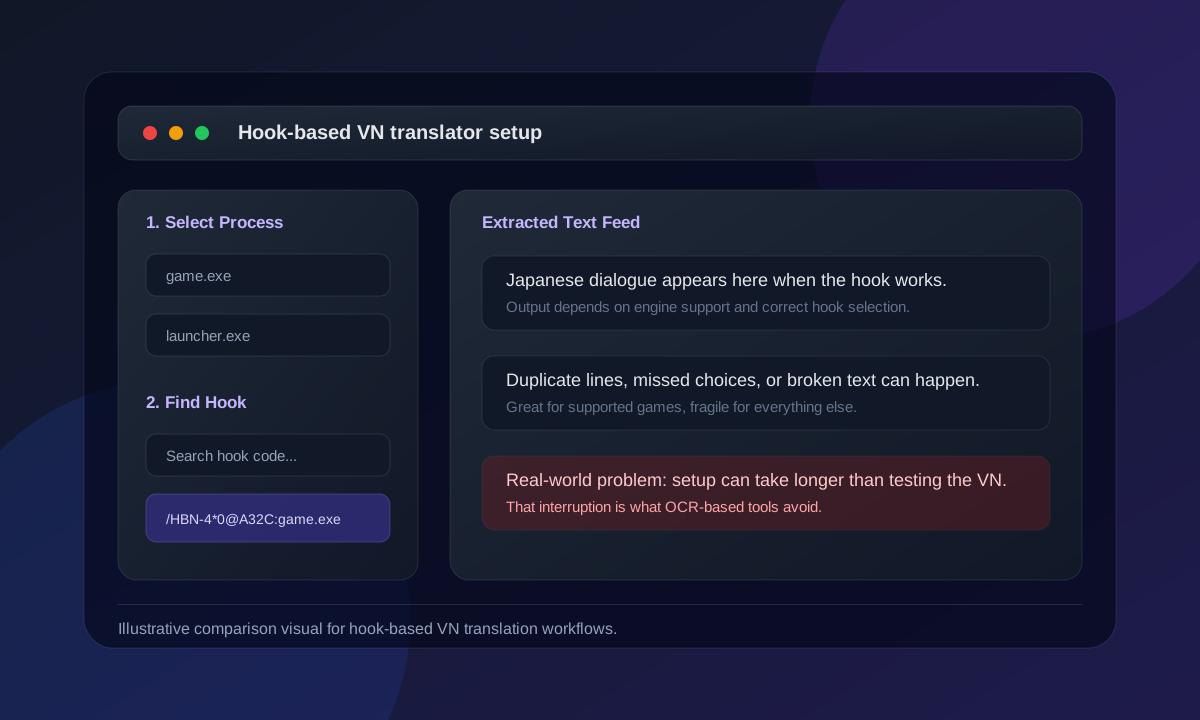
Texthookers can be excellent when they support a game, but they are not universal. If your VN renders text in a way the hooker cannot capture, you still need another approach. For a broader breakdown of patches, hookers, and OCR, see the guide on how to translate game text.
Why OCR Real-Time Translators Are Better
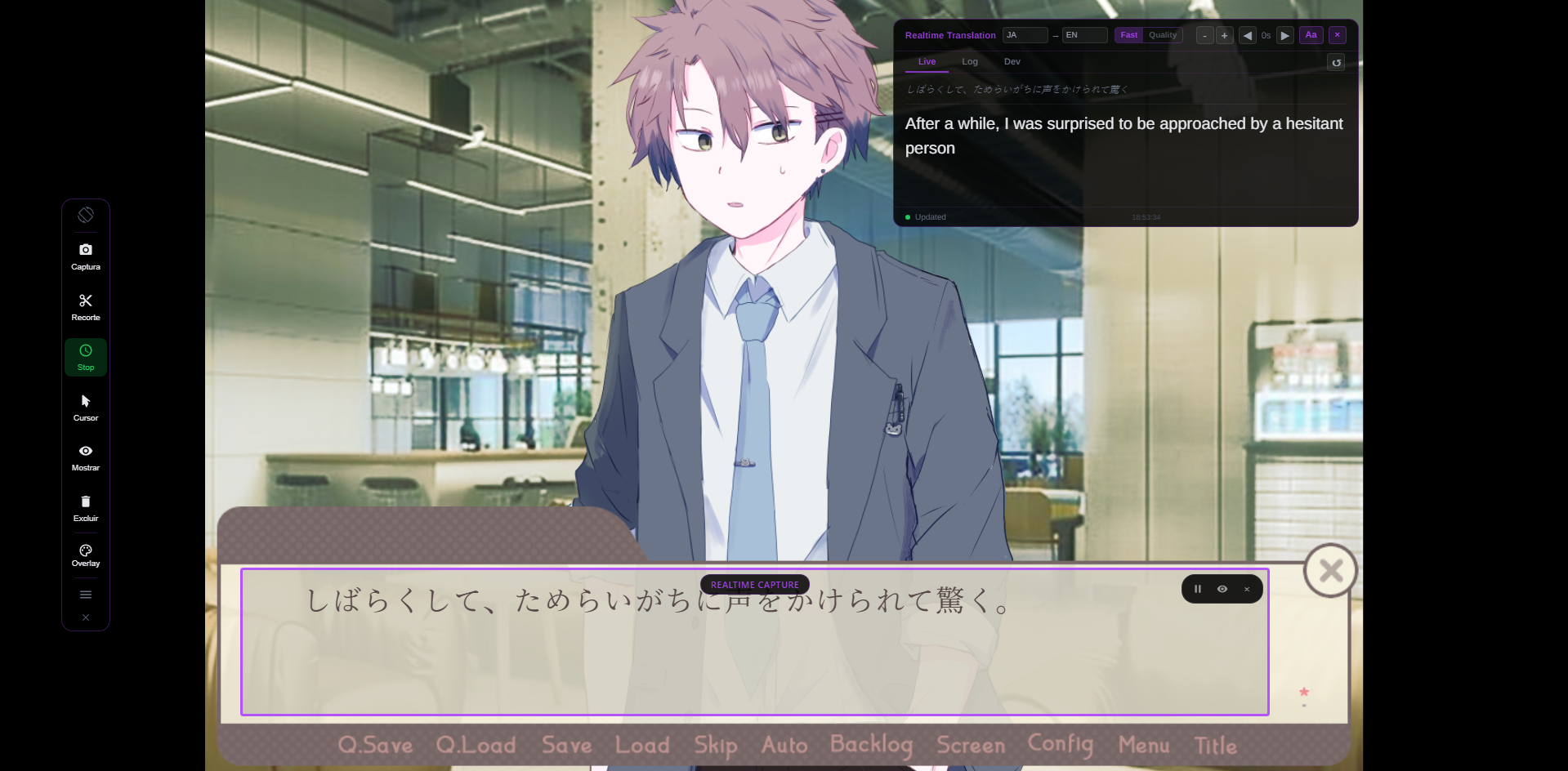
OCR-based tools read the text that is already visible on your screen. That means there are no hooks, no engine-specific scripts, and no need to modify game files. If the dialogue text is visible and readable, the translator can capture it.
This is especially useful for visual novels with custom UI, protected executables, or older engines. A screen-based OCR translator for PC can also translate menus, choices, launcher text, and other non-dialogue UI that a text hooker may miss.
The biggest benefit is immersion. Instead of copying each line into a browser tab, you keep reading while the translation updates in a separate overlay or window. That is the difference between a tool that can translate VN text and a tool that actually fits a VN reading session.
Why Lexa Is the Best Option for Most VN Readers
Lexa is different because it does not try to hook into the visual novel at all. It treats the VN window as the source of truth, reads the dialogue with OCR, and translates the visible text while you keep playing.
That choice removes the biggest compatibility problem. No patch search, no hook code, no guessing which engine a game uses. If you can see the Japanese dialogue clearly, Lexa can help translate it.
For most players, that makes Lexa the most practical vn translator because it optimizes for the real gameplay experience: start the VN, select the dialogue area, and read. It is built for people who want to finish routes, not spend the night debugging translation tools.
If you want to translate visual novels in real time, Lexa is designed for exactly that workflow: launch the VN, set your languages, place the Realtime frame over the text box, and keep reading.
Start Reading Visual Novels Without Language Barriers
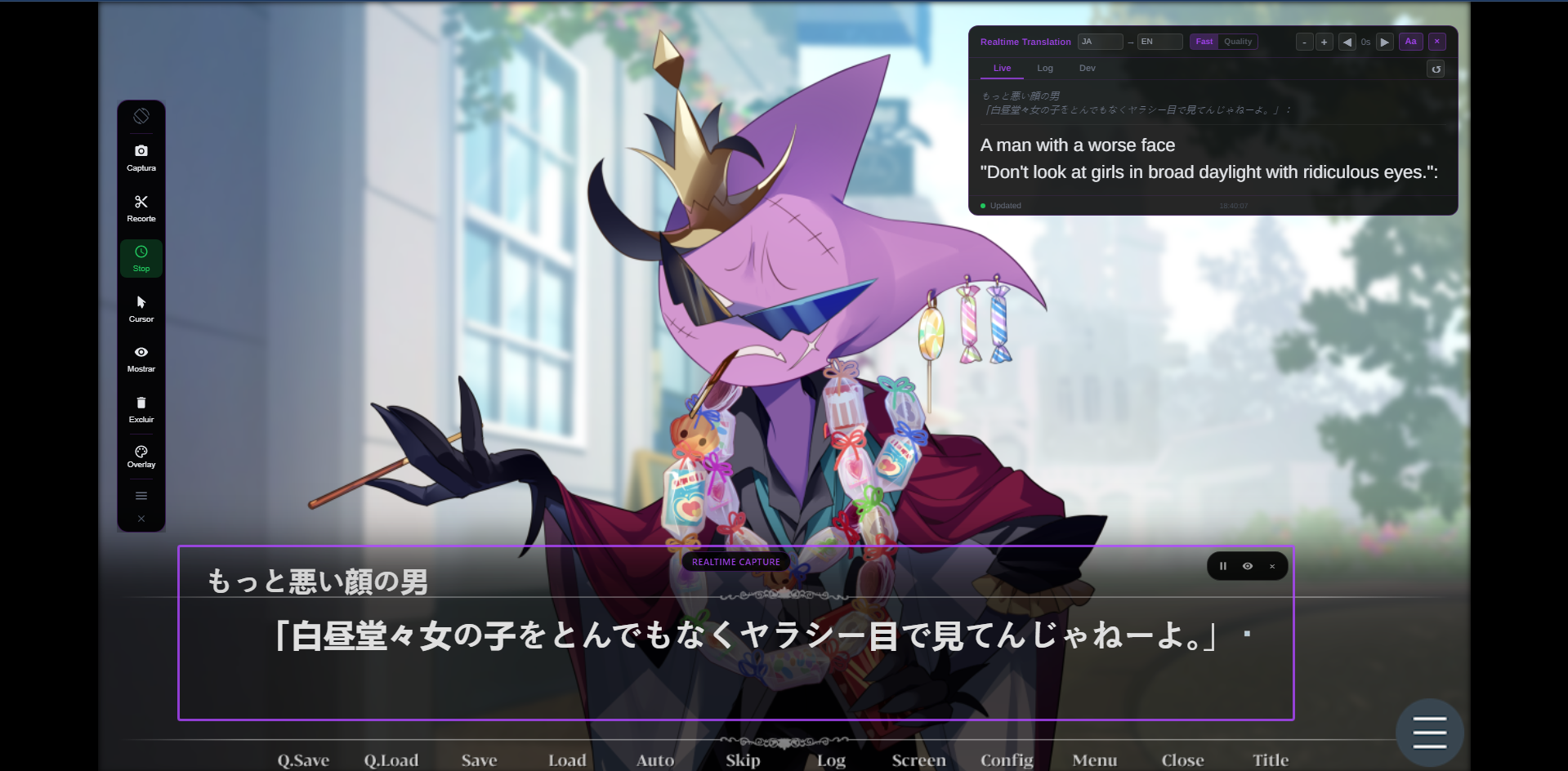
Start with Lexa if you want the fastest path from untranslated dialogue to fully readable text while you play. Download it, open your visual novel, and start translating what is on screen — no patches, no hook codes, no game file changes.
Translate Visual Novels Without Patches
Lexa reads the dialogue box and translates each line while you play. No hook setup, no patch hunting, no game file changes.