Real-Time Translation for Windows

Break Language
Barriers

Translate on-screen text instantly in games, videos, and applications. Experience seamless translation with four powerful modes.

4
Translation Modes
5+
Languages
Fast
Translation
Lexa Translator real-time screen translation overlaying translated text on a visual novel game

Built for Most Scenarios

Whether you're gaming, watching videos, or working with foreign software, Lexa has the perfect mode for your needs

Lexa Translator screen translation example: Most early released MMOs/RPGs gamings
Best for this:
Cursor mode, Realtime mode, Snapshot mode

Most early released MMOs/RPGs gamings

Play new gaming brand even when it was release only in local country like Korean/Japan/Chinese

Result:
Understand storylines, dialogue, and game menus instantly
What modes is best for this:
Cursor modeRealtime modeSnapshot mode
Learn how to translate game text →
Lexa Translator screen translation example: Visual novel games
Best for this:
Cursor mode, Realtime mode

Visual novel games

Understanding stories even when it's not translated in your native language

Result:
Understand storylines, dialogue.
What modes is best for this:
Cursor modeRealtime mode
Explore visual novel translation →
Lexa Translator screen translation example: Cutscenes
Best for this:
Realtime mode

Cutscenes

Sometimes we can't understand the stories in cutscenes because there's no time to translate or copy, it's too fast.

Result:
Understand storylines, dialogue.
What modes is best for this:
Realtime mode

Choose Your Mode

Four different modes designed for different scenarios

Snapshot Mode

Translate all visible text in one shot

When to use:
Perfect for multiple separate texts and static content.
  • Capture entire window
  • Automatic text detection and translation
  • Overlay translation on top of original
  • Great for game menus & complex layouts
Snipping Mode

Focus on specific static areas

When to use:
Best for specific pieces of text when you need a fast, focused translation.
  • Select exactly the area you want to translate
  • Clean overlay inside the selected region
  • Ideal for subtitles and small UI elements
  • Precision control for better accuracy

Cursor Mode

Lightweight, continuous translation for specific areas

When to use:
Great for quick checks while working or gaming, without interrupting your flow.
  • Activate instantly with a hotkey
  • Seamless translation without blocking the target window
  • Clean modal display (no overlays)
  • Doesn't interrupt your current task

Realtime Mode

Continuous Live Translation

When to use:
Ideal for games with changing dialogue and streaming videos
  • Continuously monitors selected area
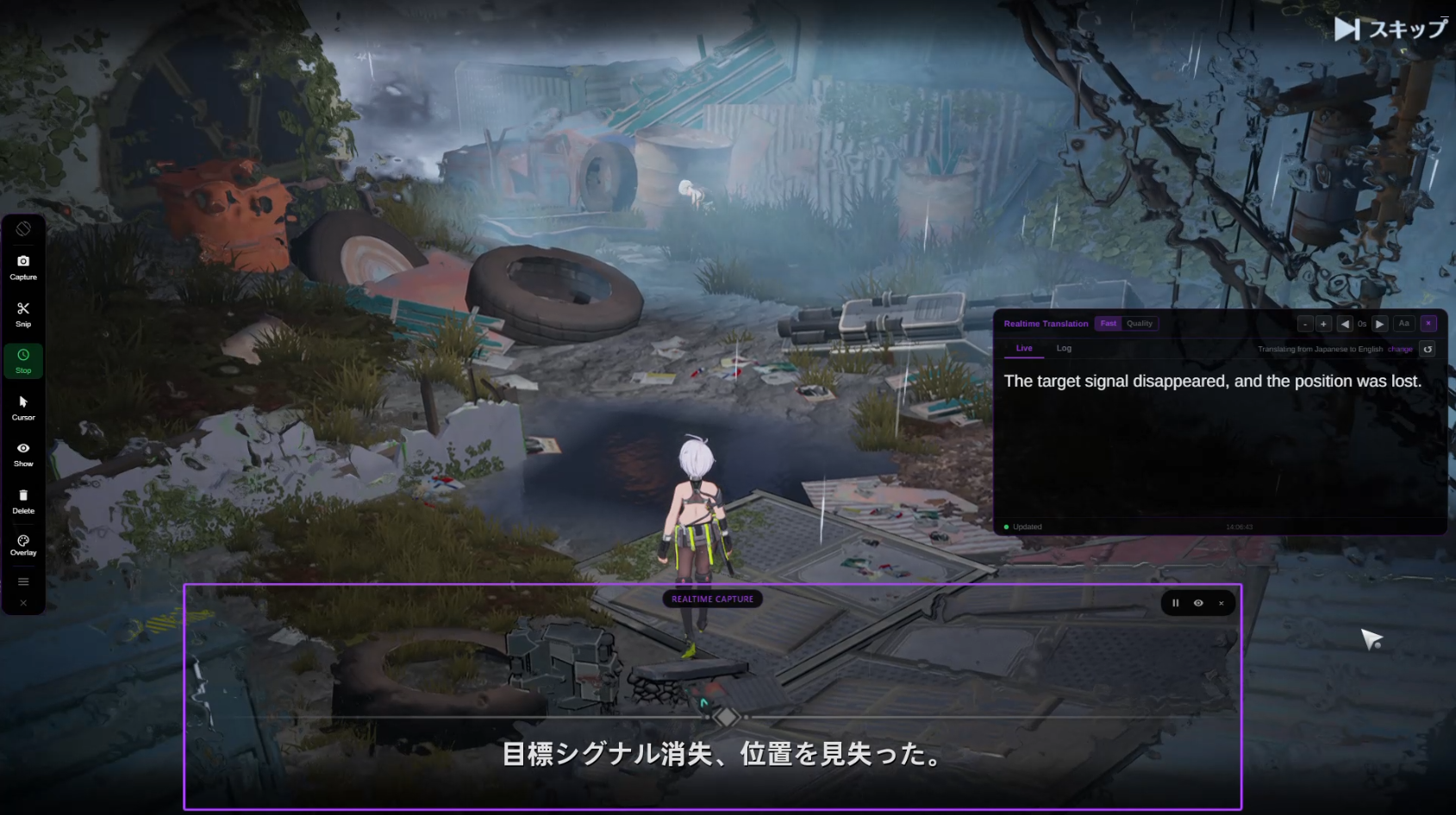
  • Live translation window with history
  • Adjustable capture region
  • Never miss a line of dialogue
40% Off Launch Offer

Plans

Enjoy every game, no matter the language

Don't miss out on the games you want to play because of language barriers. Use Lexa to follow every line, every scene, and every detail with the best experience possible.

Celebrating our launch. Save 40% on Pro and Ultra

Free

Try Lexa with 30 min of Local translation every day, no card required.

$0/month
  • 30 min/day of Local translation
  • Recommended mode
  • Limited Faster cloud usage
  • 10k monthly cloud allowance

No credit card required

Most Popular 40% Off

Pro

For regular readers — no daily limits.

$8.33Save 40%
$4.99/month

Limited-time launch pricing

  • Unlimited Local translation
  • More cloud allowance for Recommended and Faster
  • Better for regular realtime sessions
  • 300k monthly cloud allowance
  • Priority support

Cancel anytime

40% Off

Ultra

For heavy readers and long sessions — no daily limits.

$16.65Save 40%
$9.99/month

Limited-time launch pricing

  • Unlimited Local translation
  • Highest monthly cloud allowance
  • Best for long realtime/VN sessions
  • More room for Faster cloud translation
  • 800k monthly cloud allowance
  • Priority support

Cancel anytime

Secure payment via Stripe Cancel anytime

Trusted by a growing community

500+
Users
50k+
Translations
10+
Languages Used

See It in Action

Real examples of Lexa Translator working in games and applications

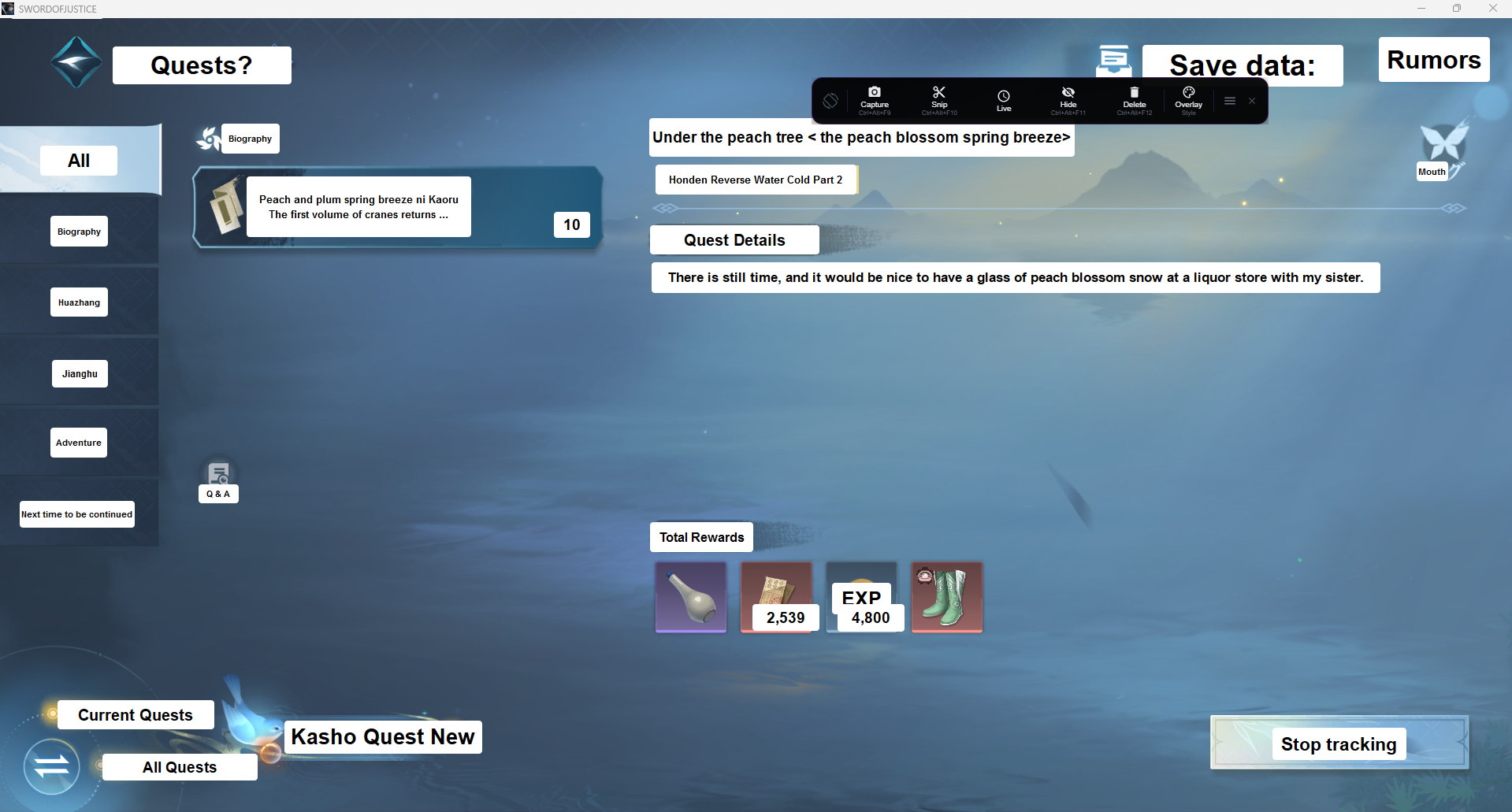
Lexa Translator snapshot mode overlaying translated dialogue on a visual novel game screen

Visual Novel Translation

Translate visual novel dialogue in real time with Lexa Translator

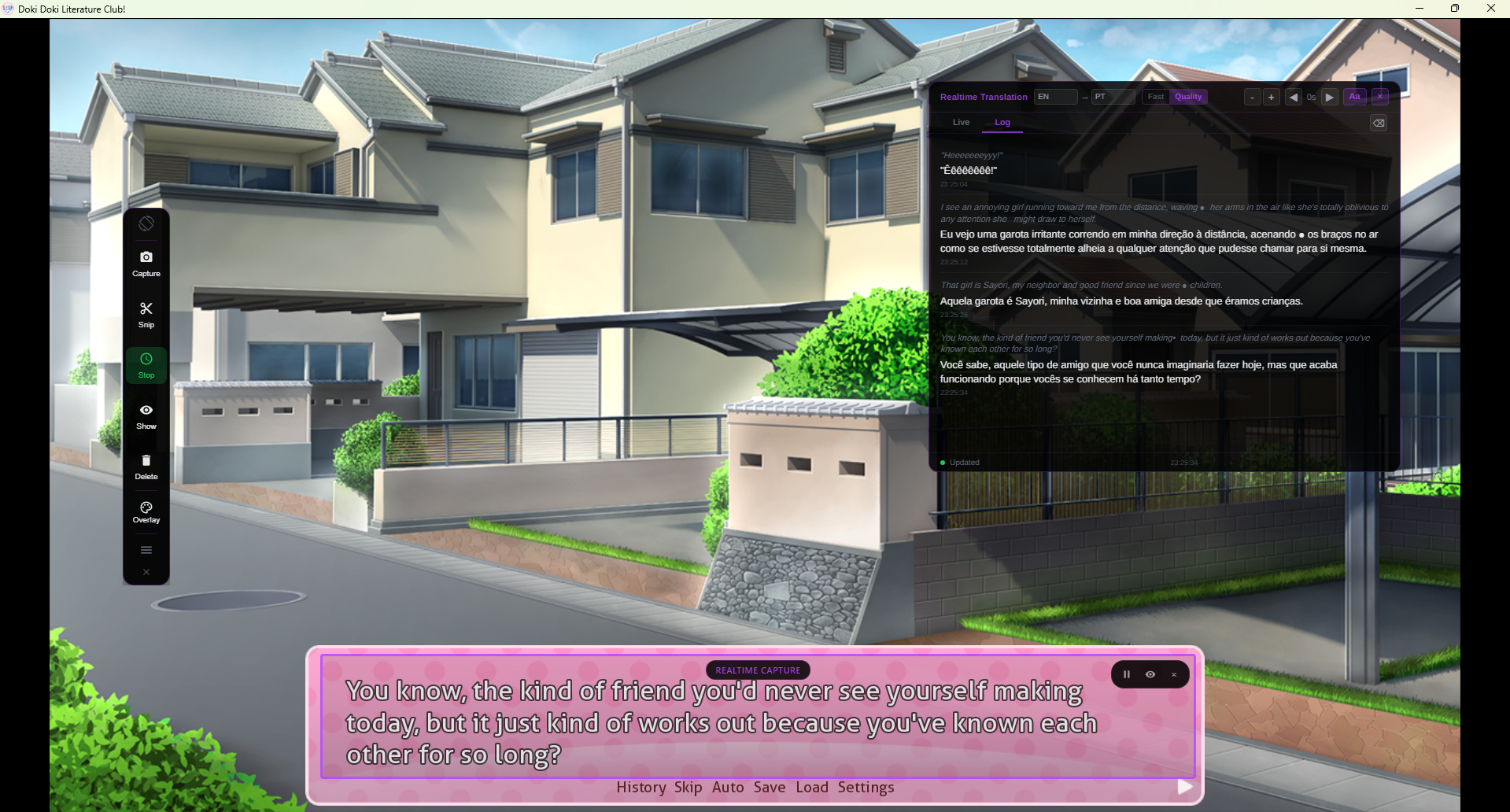
Lexa Translator log tab, showing the history option so you don't lose any text.

Don't lose any text

Never lose any text with Lexa Translator log tab

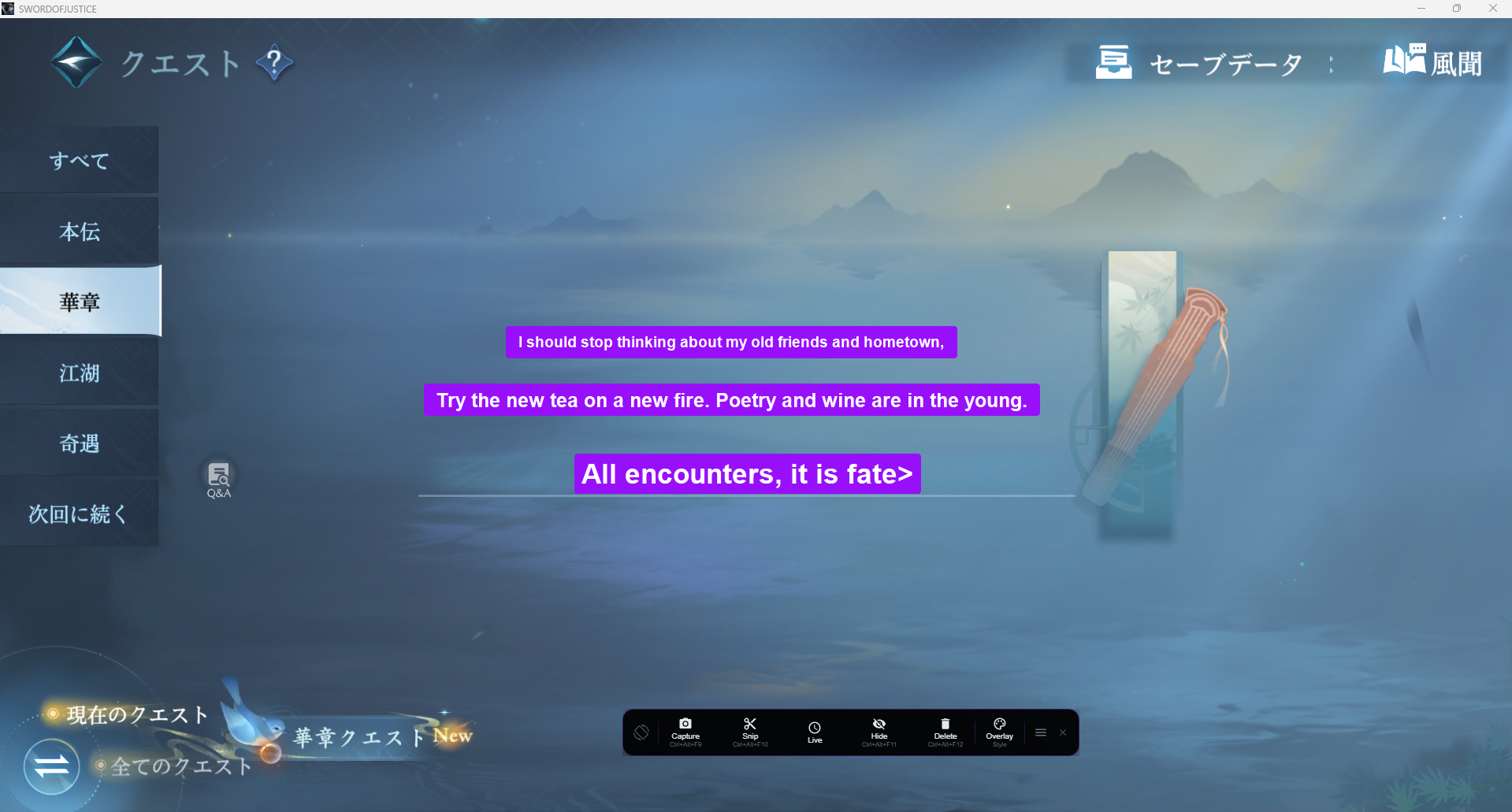
Lexa Translator translating game quest objectives and UI elements with overlay customization

Follow every line

Translate everything on the screen with Lexa Translator

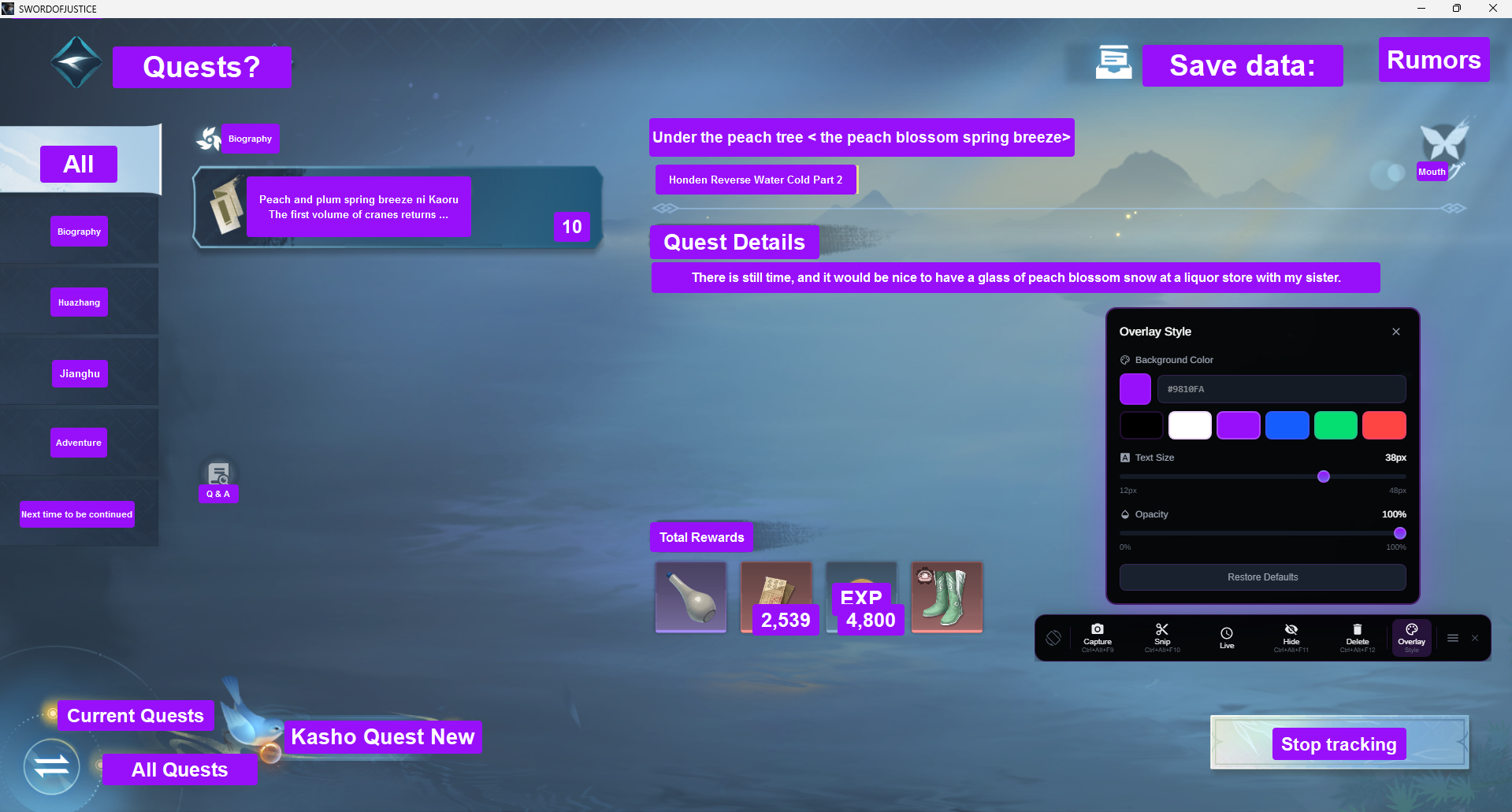
Lexa Translator overlay with customized colors and opacity settings for comfortable reading

Custom Styling

Personalize overlay colors and opacity to match your preference

Lexa Translator language selection showing multiple source and target language options

Multi-Language Support

Seamlessly switch between different source and target languages

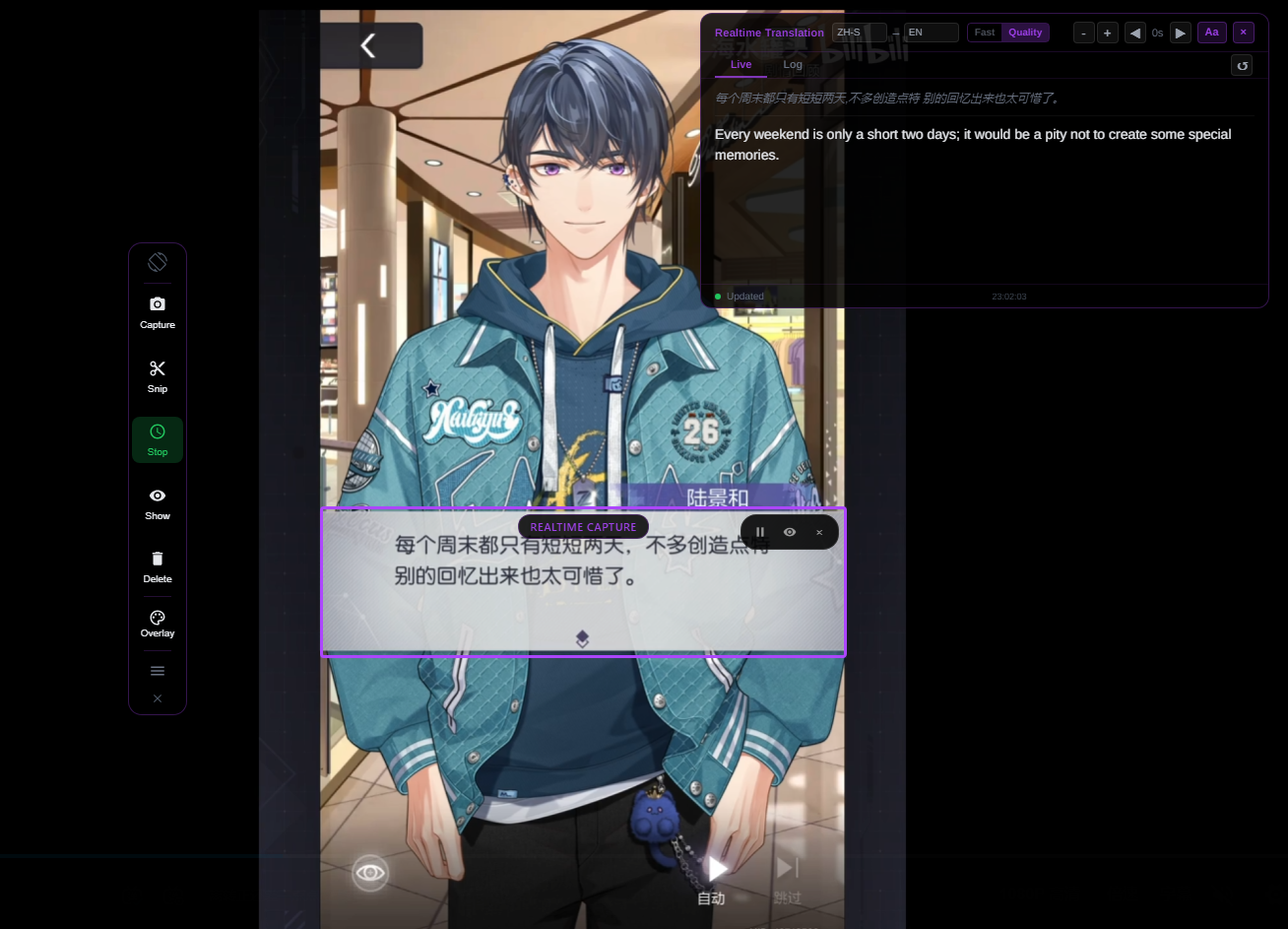
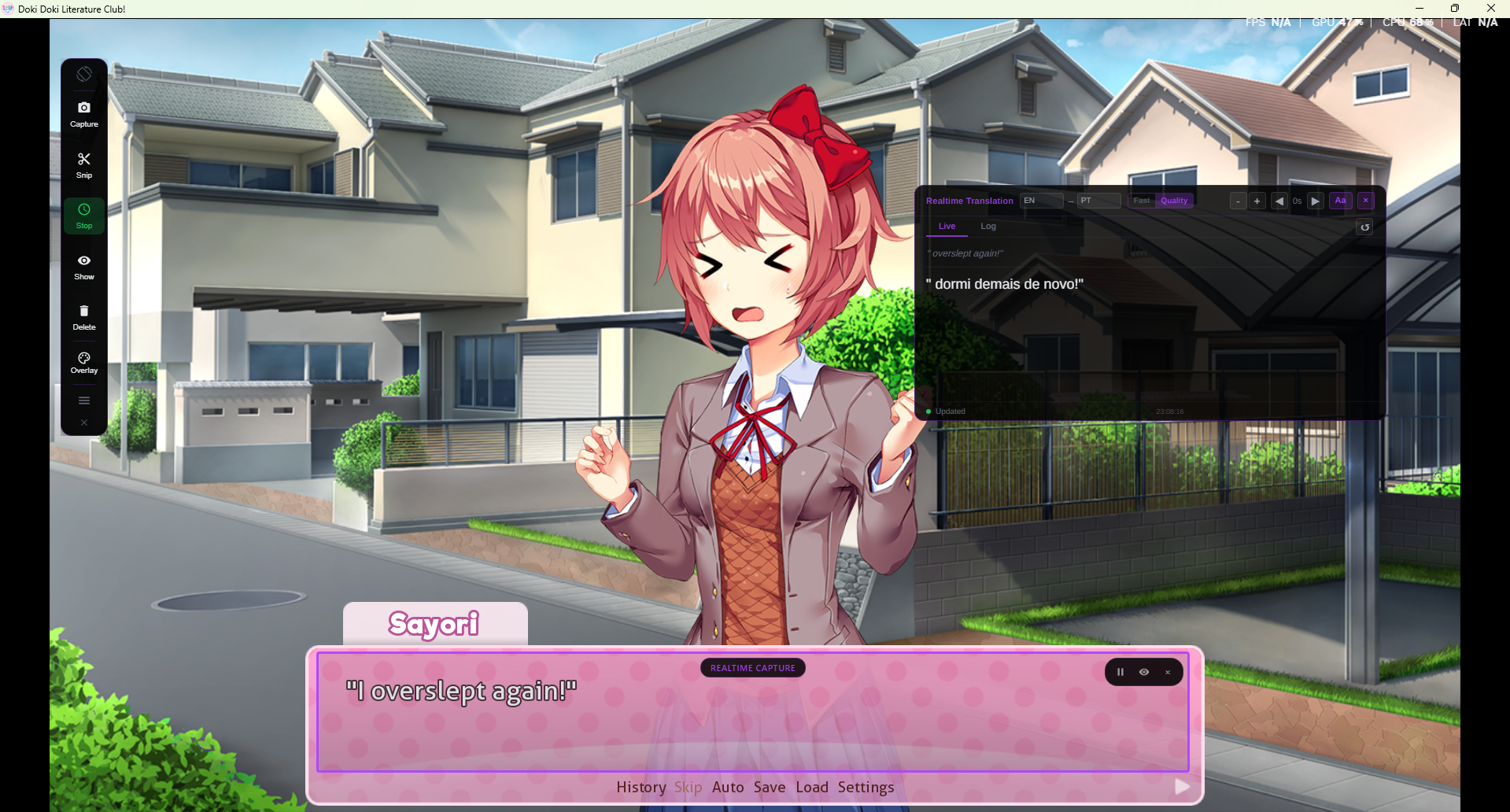
Lexa Translator realtime capture mode showing continuous translation with live and log tabs

Real-time Capture

Continuous translation display with live and log tabs

Perfect For

Real-time translation built for gaming, from story-driven experiences to fast-paced gameplay.

Gaming

Perfect for visual novels, RPGs, and games in Japanese, Chinese, or Korean.

Reading

Easily translate in-game text, dialogue logs, and digital reading content.

Video Content

Understand gameplay videos, walkthroughs, and recorded footage.

Live Streaming

Follow streams in any language with real-time translation support.

System Compatibility

Windows Desktop

Compatible with Windows 10 and Windows 11, optimized for all desktop environments

Multi-Monitor Support

Seamlessly works across multiple displays, perfect for extended gaming setups

High DPI Ready

Full support for 4K, 1440p, and high DPI scaling with crystal-clear text recognition

Fast & Lightweight

Minimal CPU and memory usage, won't impact gaming performance or system resources

No File Modification

Non-invasive screen-based translation, no game files modified, no ban risk

Frequently Asked Questions

Everything you need to know about Lexa Translator

Lexa Translator is a Windows desktop application that translates on-screen text in real time. It works with games, videos, and any application without modifying the original software.
Lexa captures text directly from your screen using OCR (text recognition) and instantly translates it into your selected language. You can use modes like Snapshot, Snipping, or Realtime depending on your needs.
Yes. Lexa works with any application that displays text on screen, including games, visual novels, browsers, videos, and desktop software.
No. Lexa runs independently and does not modify any game or application files.
Yes. With Realtime Mode, Lexa continuously captures and translates text without interrupting your gameplay.
Lexa supports multiple source and target languages, including Japanese, Chinese, Korean, English, and many others.
Yes. Free users get 30 minutes of Local translation every day, plus a limited monthly cloud allowance for Faster and Recommended modes. Pro and Ultra remove the daily Local limit and add bigger cloud allowances for longer sessions.
Yes. Lexa does not modify external applications and runs independently on your system.

Contact Us

Need help or have a question about Lexa Translator? We're here to help.

Get in touch

We typically respond within 24–48 hours.

What can we help with?

  • Technical support
  • Bug reports
  • Billing questions
  • Feature requests
  • Business inquiries

Before contacting us

You may find your answer faster in our documentation or FAQ.

About Lexa

Lexa Translator is a Windows desktop application designed for real-time screen translation.

For more details, please review our Privacy Policy.

Send us a message

Get Started Today

Download Lexa Translator for Windows and start translating any on-screen content instantly

One-click installation
No technical knowledge required
Instant updates
Free to try
Lightweight and fast
Professional support

Instantly. Seamlessly. Professionally.

Transform any window into a fully translatable experience.